monday CRM Pricing: What a 10-Seat Sales Team Really Pays in 2026
monday CRM pricing explained plan by plan, with the real annual cost for a 10-seat team, the limits that push you up a tier, and the costs beyond the license.

A VIES VAT check tells you whether an EU VAT number is active for cross-border (intra-EU) trade on the day you check it. You enter the country and number on the European Commission’s VIES site, and it queries that member state’s national database in real time. If you also enter your own VAT number as the requester, you get a consultation number you can keep as proof. That proof matters: for zero-rated intra-EU supplies of goods, a valid customer VAT number is a condition, not a nice-to-have. The practical problem is doing this for every account in your CRM, every time. That is where automation comes in.
If your sales team runs on monday CRM, you do not need to copy numbers into a website one by one. Tryve built a free VAT Checker app for monday.com for exactly this job, and it is part of how we set up CRM for B2B teams in our monday.com implementation work.
Want this built for your sales team instead? We implement monday CRM as a certified CRM Specialist partner.
VIES stands for VAT Information Exchange System. It is not one central database. It is a search engine run by the European Commission that forwards your query to the tax administration of the country that issued the number, then shows you that country’s answer.
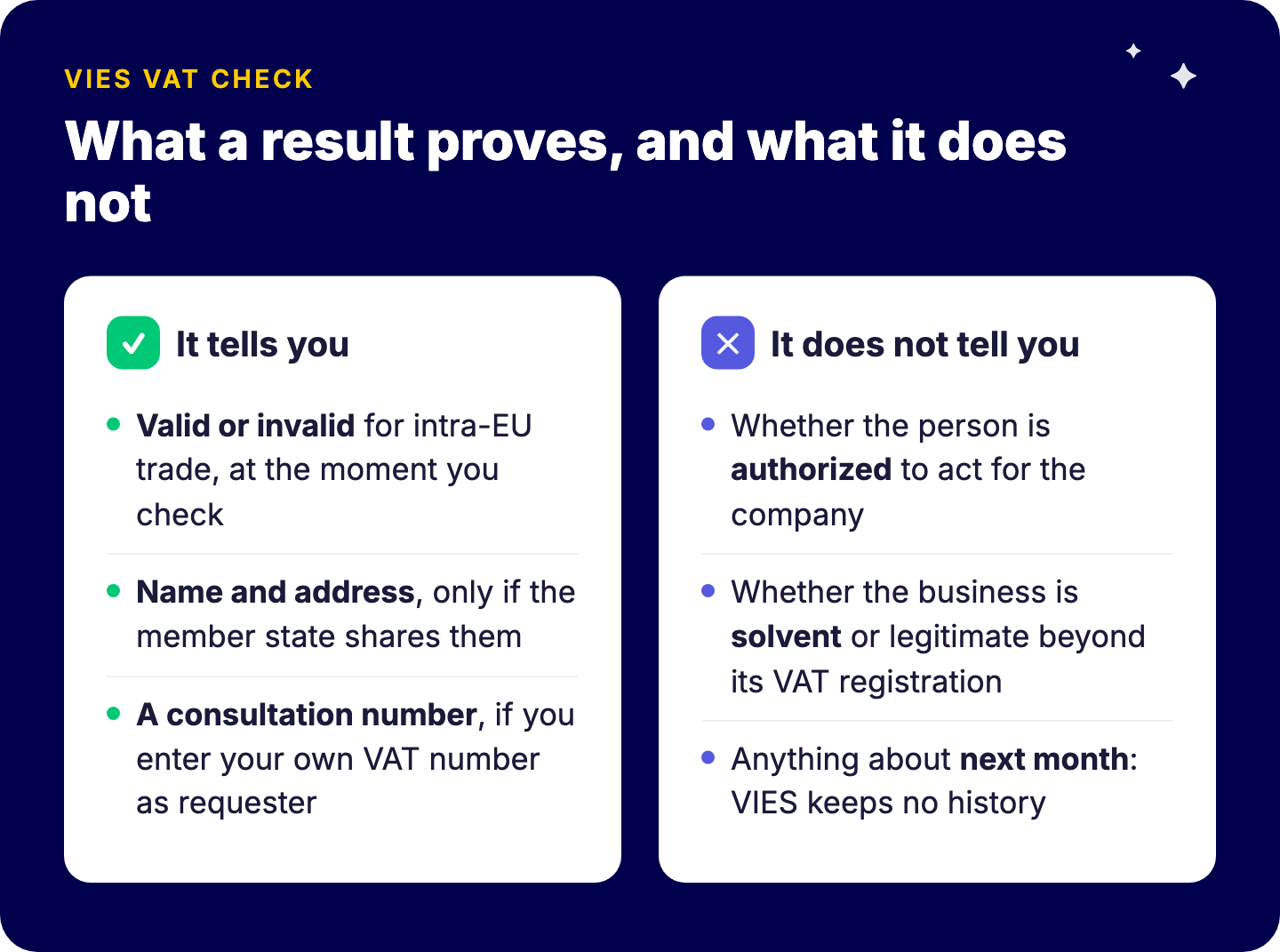
A result can tell you:
What it does not tell you matters just as much:
So treat a VIES check as one control in your customer onboarding, not a full due-diligence process.
Because the VAT treatment of the invoice depends on it. When you sell goods or services to a business customer in another EU country, the invoice usually applies the reverse-charge mechanism or a zero rate. Get the customer’s status wrong and your company can end up owing the VAT.
Since the EU “quick fixes” took effect in 2020 (Directive (EU) 2018/1910), a valid VAT identification number of the buyer became a substantive condition for exempting intra-EU supplies of goods. In plain terms: no valid number, no exemption.
For a sales and finance team, the risk shows up in three places:
This is why we recommend validating the number at the moment an account enters your CRM, not when finance discovers a problem months later.
For a one-off check, the European Commission’s site is enough:
That last step is the one most teams skip. A check you cannot prove later is only half a control.
In practice, “invalid” usually means “not in the format or state VIES expects”, not “fake”. The usual causes:
| Symptom | Likely cause | What to do |
|---|---|---|
| Invalid, customer insists it is right | Country prefix typed inside the number field, or spaces and dots | Strip everything except letters and digits after the prefix |
| Invalid for a new customer | VAT registration is domestic-only, not activated for intra-EU trade | Ask the customer to confirm intra-EU registration with their tax office |
| Error: member state unavailable | That country’s database is temporarily down | Retry later, and log the attempt |
| Valid, but no name or address | The member state does not share these details | Validate name and address from another source, such as the invoice details on file |
| GB number fails | Great Britain numbers left VIES after Brexit | Use HMRC’s Check a UK VAT number service |
Northern Ireland is the exception on the UK side: numbers with the XI prefix are used for goods trade with the EU and still validate in VIES.
Manual checks do not scale past a handful of new accounts a week, and they depend on someone remembering. The better setup is to make validation part of the data flow itself.
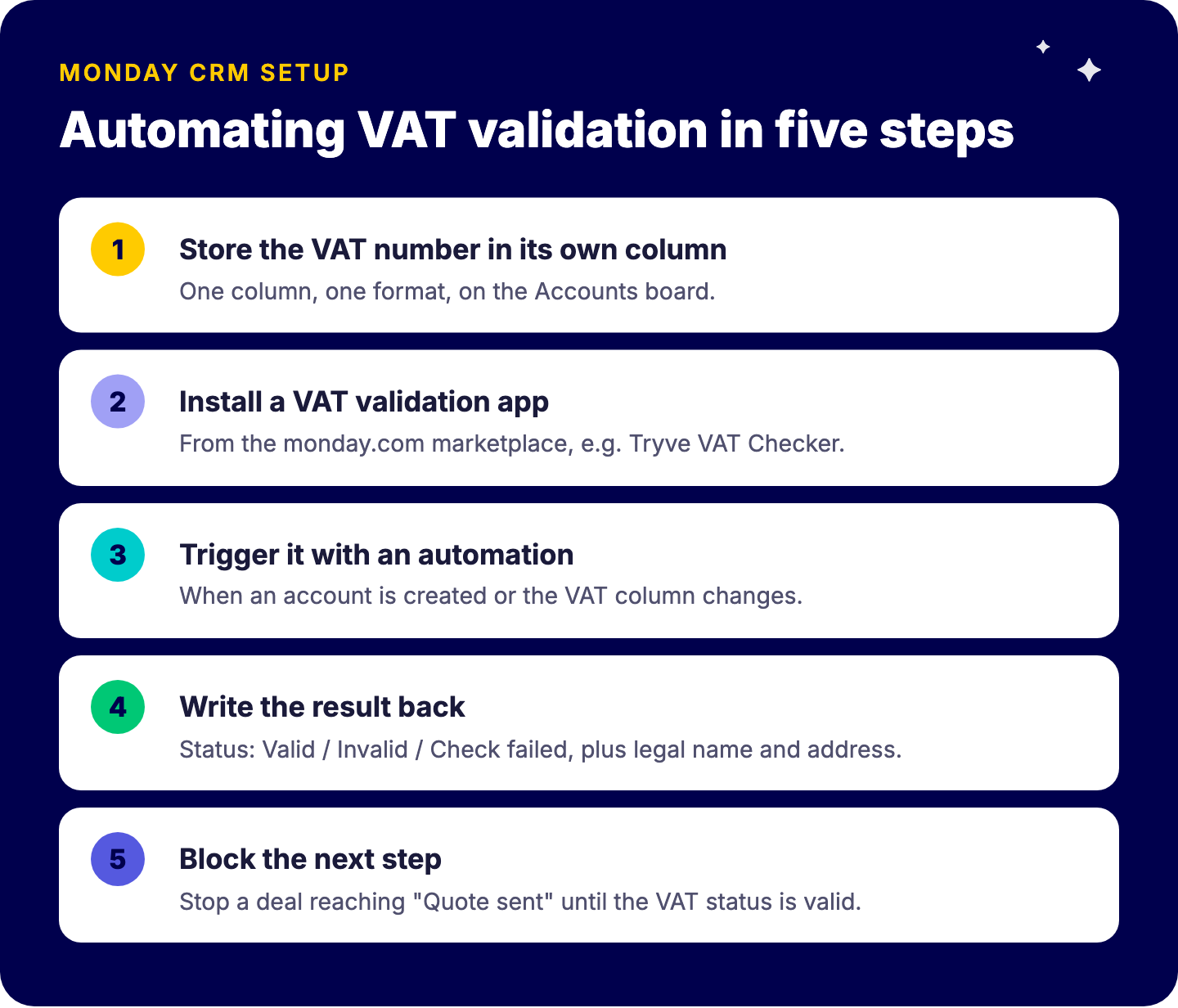
Here is the pattern we use with clients on monday CRM:
The result is boring in the best way: finance stops chasing sales for VAT details, and quotes are built on verified customer data.
A good flow covers the three moments where bad data enters or goes stale.
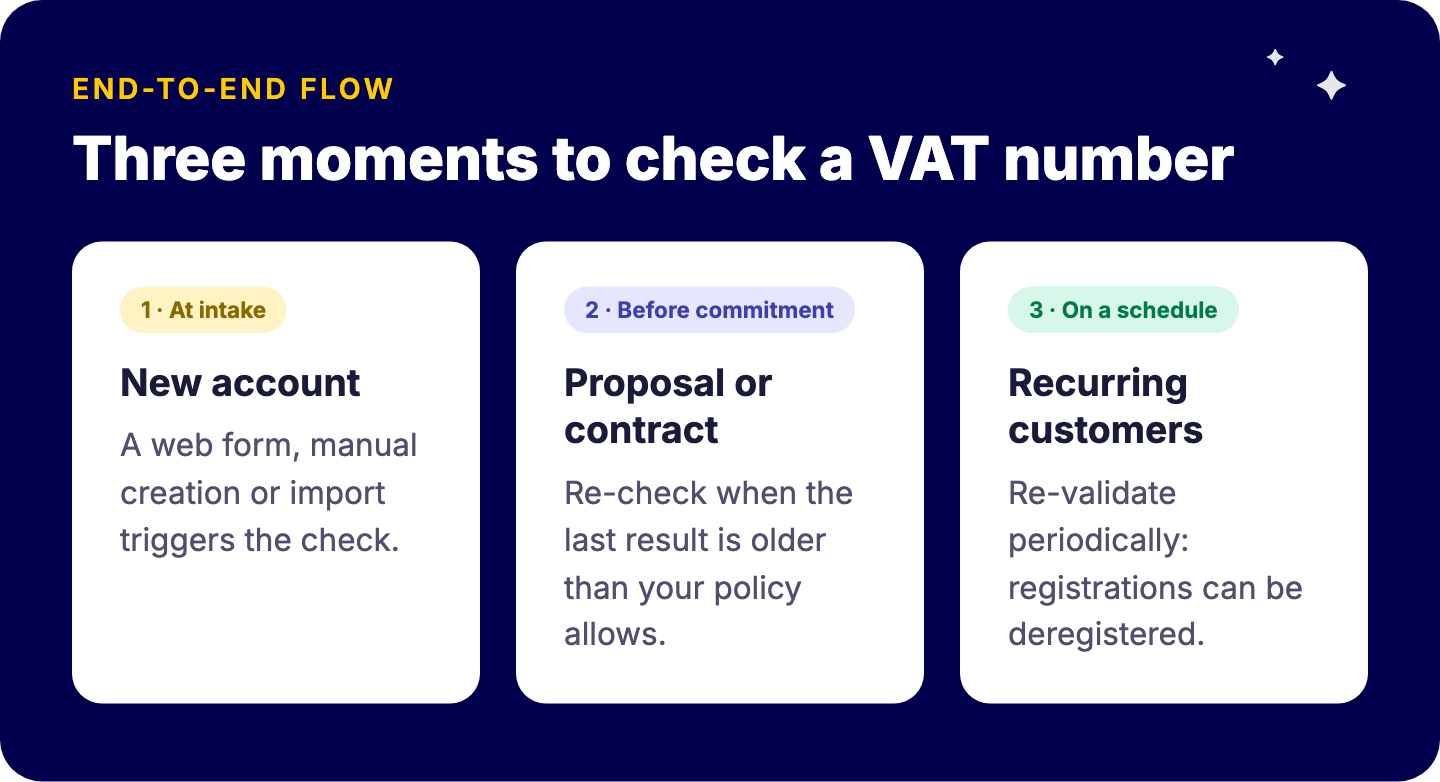
Keep the evidence where the work happens. A date column for “last VAT check” and a text column for the consultation reference (when you use one) mean nobody has to search mailboxes during an audit.
If your CRM also feeds invoicing in an accounting package, validated VAT data is the foundation for clean quote-to-invoice handoffs. We connected monday.com to other business systems in projects such as the Carya integration, and the same principle applies: fix the data at the source.
Both, and that is exactly why it falls through the cracks. Sales owns the account record. Finance owns the VAT consequences. A CRM rule that validates at intake gives each team what it needs without adding a meeting.
This is a small example of a bigger point we make in every implementation: monday.com is a platform, and the value is in the configuration. The same CRM with and without a validation step produces very different data quality a year later. If you are setting up or cleaning up monday CRM, our monday CRM implementation guide covers the account and deal structure this check plugs into, and our monday CRM page explains how we approach it.
It proves that, at the moment of the check, the number was active for intra-EU transactions in the issuing country’s database. With your own VAT number as requester, you also receive a consultation number to keep as evidence.
Only Northern Ireland XI numbers. GB numbers must be checked through HMRC.
Usually formatting, a domestic-only registration, or a temporary outage of that member state’s database.
Map a marketplace VAT validation app, such as Tryve’s free VAT Checker, to your VAT column and trigger it with an automation on account creation or change.
Validated VAT numbers are one of a dozen small rules that decide whether your CRM stays trustworthy as you grow. If you want monday CRM set up so the data is right at intake, not fixed at year-end, talk to a senior consultant. Book a free intro call with Tryve.