Client Portal Software or monday.com? How to Give Clients a View Without Exposing Your Board
Client portal software or monday.com? Compare guest access, shared views and portal apps, what clients should never see, and how guests are billed by plan.
Tryve implements CRM and project management solutions for businesses
+32 3 377 78 31 Antwerp - Arnhem - Paris
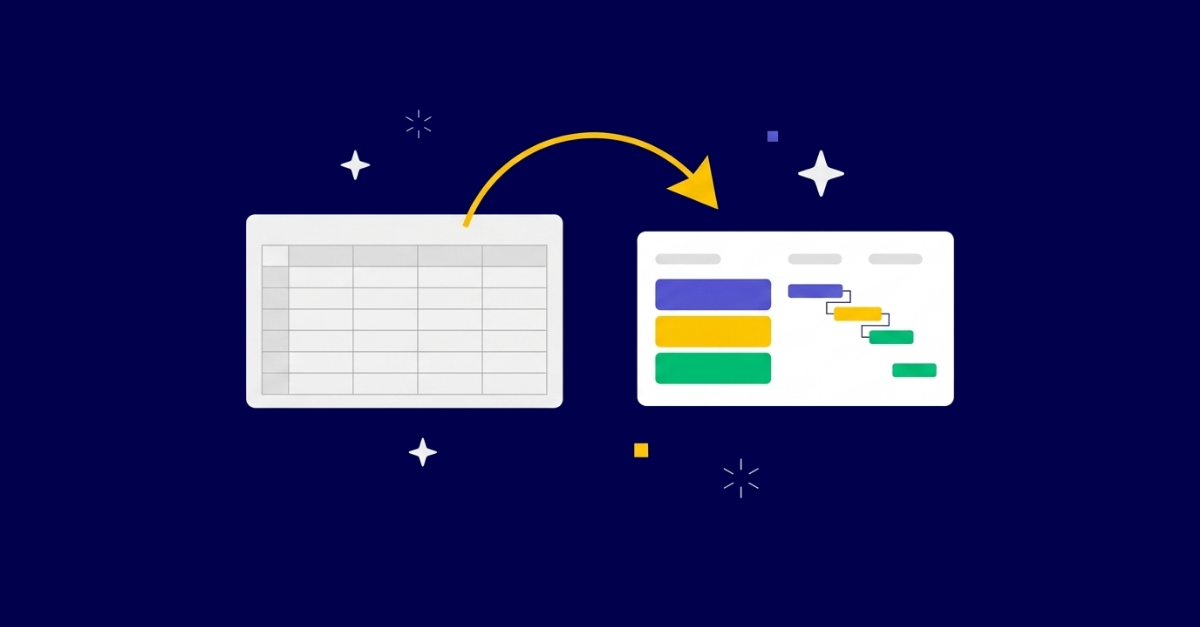
If you are running projects on an Excel Gantt chart or a Google Sheets timeline, the fix is not “find a prettier tool.” Spreadsheets work fine until the plan changes, then every date shift becomes manual rework, notifications do not exist, and a stray share link can leak the whole plan. Migrating to monday.com solves that only if you configure dependencies, automations, and permissions around how your team actually plans work. Import your sheet as static columns and you have rebuilt the spreadsheet with more clicks. This guide names exactly where spreadsheets break and how to migrate without dragging the bad habits across.
Let’s be honest about why spreadsheets win the default. They are free, everyone already knows them, there is no procurement cycle, and you can start a project plan in the next thirty seconds without asking anyone for a license. That is a real advantage, and any consultant who pretends otherwise is selling you something.
But familiar is not the same as reliable, and that gap shows up the moment you try to do the one thing a project plan exists to do: visualize time. You cannot actually build a Gantt chart in Excel. As monday.com puts it in its own Excel template walkthrough, “you can’t (technically). Instead, you’ll have to create a stacked bar chart and embellish it to make it look like a Gantt chart” and then manually reverse the task order so it reads top to bottom. That is your first tell that you are fighting the tool, not using it.
It gets worse depending on what you bought. There is a Gantt template in Excel, but as monday.com notes, “only if you’re using a PC. If you work with a Mac, you’re on your own.” A planning approach that depends on which laptop someone opened is not a foundation, it is a workaround that happens to still be standing.
Here is the thing nobody tells you when they hand you a spreadsheet template: it does not fail when you build it. The build is the easy part, the satisfying part, the part where everything lines up. It fails later, when the plan changes, which is to say it fails exactly when you most need it to hold. Every limitation below is the same story told four ways.
This is the big one. The moment a schedule slips, you are not updating one cell. As monday.com’s Google Sheets Gantt guide (Raphael Landau) describes it, a schedule change means manually correcting the dates and the bar coloring of every related task. If one task slips by a week, every linked downstream task has to be corrected by hand, and the risk of input errors and missed updates climbs as the edits pile up.
Think about what that means in practice. A single delay on a dependency early in the plan can cascade into an afternoon of careful, error-prone re-typing, and you have done nothing productive, you have only kept the chart honest. This is precisely the work that dependencies and timeline-driven workflow automation exist to delete. The point of migrating is not a nicer-looking bar, it is never doing this again.
Spreadsheets have comments, but as the same Google Sheets guide notes, they have only limited notifications. There is no built-in automatic alert when someone edits a cell, and expecting every team member to set up their own email-notification rules “is not realistic.” Anyone who has tried to enforce that across a team knows it never sticks.
So coordination leaks out of the plan and into everything around it: Slack pings, status meetings, “did you see my change?” emails, a second tracking doc someone built in frustration. The plan stops being the source of truth and becomes one more thing you have to chase people about.
Because every entry is manual, forgotten tasks and overlooked dates become more likely as the task count grows. The whole plan also gets harder to take in at a glance. A 30-row sheet is manageable. A 300-row sheet across five workstreams is a place where things quietly disappear, and you do not find out until the deliverable they fed into is late.
Easy sharing is a selling point until it is a liability. As the Google Sheets guide warns, a stray share link can expose the entire plan to whoever receives it, and fine-grained, per-user access control is fiddly enough that most teams do not bother. For a small internal project, fine. For anything large or external-facing, with clients, contractors, or partners in the mix, that is real leakage risk baked into the tool you chose for being convenient.
If your instinct is to dodge the spreadsheet problem with a free project tool, read the fine print first. As monday.com’s free Gantt software roundup (Ben Kazinik) lays out, free plans ship with “intentional boundaries”: user limits, project constraints, storage restrictions, and locked features, with automation and custom reporting typically reserved for paid plans.
The more useful way to frame this is not free versus paid. As the same roundup puts it, “Free tools typically focus on visibility… Paid tiers shift the focus to execution, adding automation, resource balancing, advanced reporting, and cross-project coordination.” A spreadsheet, and most free tiers, give you visibility into the plan. What actually fixes spreadsheet pain is execution: the system updating itself when reality changes. That is the line your migration has to cross.
Here is where the rest of the internet stops and where the real risk lives. The tutorial cluster will happily teach you to fake a Gantt in Excel, and the listicle cluster will hand you a free-tool roundup, but almost none of it owns the next sentence: a careless migration just recreates the mess in a more expensive tool.
The failure mode is specific and common. You export your sheet, import it into monday.com as a set of static columns, leave the dependencies unwired, skip the automations, and keep sharing wide open because that is how it worked before. Congratulations, you now have a spreadsheet that takes more clicks to edit. You have paid for a license to keep doing manual rework.
What you are supposed to be buying is different in kind. As Kazinik describes a connected platform, “your timeline is not just a visual plan. It becomes part of a broader execution system, giving leaders real-time visibility without relying on manual updates or separate reporting tools.” Notice the condition buried in there: that only happens if you configure for it. The execution system is not in the box. It is in the setup.
This is the through-line worth internalizing before you touch an import button: monday.com is a platform, not a finished solution. A generic template just recreates generic assumptions about how work flows, which is the same trap as copying your old sheet, only with someone else’s bad habits instead of yours. The value is in the configuration. So the question is not “how do I move my spreadsheet across?” The question is “how should this work actually flow now that manual maintenance is off the table?”
A good migration is a sequence, not an import. Here is the order that keeps you from rebuilding the problem.
Resist the urge to start by importing. As Kazinik advises, “Before configuring anything, understand how work actually flows today. A new tool should strengthen your process, not disrupt what already works.” Document how projects really get planned and delivered, and name the friction points: missed deadlines, recurring bottlenecks, unclear ownership.
Here is the practitioner reality you have to confront at this stage: your spreadsheet encodes a workflow nobody ever designed on purpose. It grew. Columns got added in a hurry, conventions drifted, and the structure is an accident of history, not a decision. Migration is the one moment you get to fix that cheaply, before it is wired into automations and shared with the whole team. Copy the sheet and you preserve the accident. This is also where a change management mindset earns its keep, because you are changing how people work, not just where the file lives.
Every spreadsheet hack is a native monday.com feature waiting to exist properly. Go through them one by one:
The mechanical part really is that simple. As monday.com describes the build: “Create a board and add your tasks. Add a ‘Task Timeline’ column to your board. Go to ‘Views’ and choose the Timeline or Gantt view… It takes a few minutes, tops.” But treat that simplicity as the floor, not the finished configuration. Getting a timeline on screen is the easy 20%. The 80% that pays for the migration is everything that makes it self-maintaining.
This is the single biggest payoff over a spreadsheet, and the exact thing a rushed migration skips. On a real platform, the behaviors the Google Sheets guide describes as missing become native: changing a task’s duration auto-adjusts the related tasks, dependencies enforce “this cannot start until that finishes,” and status and progress updates notify the right stakeholders automatically.
Put plainly, the afternoon of re-typing dates from earlier in this guide simply stops happening. One date moves, and the plan rearranges itself. That is the difference you are actually paying for, and it does not exist until you wire it.
Decide who sees what before rollout, not after a leak. Replace the stray-share-link risk with role-based access, mapped to the stakeholders you identified in step one. Clients and external partners see their slice, internal teams see theirs, and leadership sees the portfolio view. Getting this right before the first invite goes out is far cheaper than retrofitting access control onto a board everyone already lives in.
Do not flip the whole company over on day one. As Kazinik recommends, “Rather than launching company-wide, test the platform on a real initiative first.” Pick a moderately complex project with an engaged team, set measurable goals, run it for real, and gather structured feedback before you expand.
And hold onto this definition of done, because it is the one that matters: a migration is not finished when the board exists. It is finished when the team stops opening the old spreadsheet. That is adoption, and adoption is the only metric that proves the migration worked. Boards built is a vanity number. People who never reopen the sheet is the real one.
Strip away the marketing and the choice is between a static chart and an execution system. The comparison Kazinik draws between a traditional Gantt and monday.com work management maps the gap cleanly:
To be fair to the alternatives, plenty of tools solve a slice of this. ClickUp, Miro, Instagantt and others each do something well, and for a tiny team with one simple plan, a free timeline builder may genuinely be enough. As Kazinik frames the free-tool landscape, the split between simple timeline builders and full-featured work ecosystems is “the difference between a paper map and a GPS system integrated into your vehicle’s dashboard.” A paper map is fine for a short, known route. It is not what you want when the road keeps changing and several people need to navigate at once.
For teams that want planning, execution, and reporting in one configured system instead of another tool to babysit, a well-implemented monday.com is the recommendation, not because it moved you off Excel, but because of what you can build into it once you do.
Not every migration needs a consultant, and it would be dishonest to claim otherwise. A three-person team moving one straightforward project can almost certainly self-serve, and should. The free advice above is enough.
The calculus changes as complexity rises. Bring in senior help when you have cross-team dependencies, external stakeholders with access requirements, compliance-sensitive data, or a plan complex enough that a bad configuration would lock in bad habits for everyone who touches it. The cost of getting the structure wrong is not the setup time, it is the months a flawed workflow quietly taxes the whole org. Teams like Standmark, which runs 250 projects on monday.com, are not places where a lift-and-shift import was ever going to hold.
This is where a monday.com consulting partner earns its place. Senior consultants who have run this exact migration across many teams build the custom workflow around how your team actually works, not around a generic template, and then stay on to measure adoption and outcomes rather than handing over a board and walking away. That last part matters more than the setup: long-term partnership and adoption beat a one-off configuration, every time.
Moving off Excel and Google Sheets is the easy part. Configuring monday.com so date changes propagate themselves, coordination lives in one place, and the team never reopens the old sheet is where the value is, and where a thoughtful setup separates a real upgrade from a more expensive task list. If your plans have outgrown spreadsheets and you want a migration that fixes the workflow instead of copying it, book a free intro call with Tryve and let’s map it out.
Tryve is a monday.com Platinum Partner. Every engagement starts with a structured discovery session built around your actual processes, not a generic template. Senior consultants stay involved through adoption, not just go-live. Book a free intro call.
Tryve is a monday.com platinum partner and helps companies with implementing state-of-the-art project management tools!