Client Portal Software or monday.com? How to Give Clients a View Without Exposing Your Board
Client portal software or monday.com? Compare guest access, shared views and portal apps, what clients should never see, and how guests are billed by plan.
Tryve implements CRM and project management solutions for businesses
+32 3 377 78 31 Antwerp - Arnhem - Paris
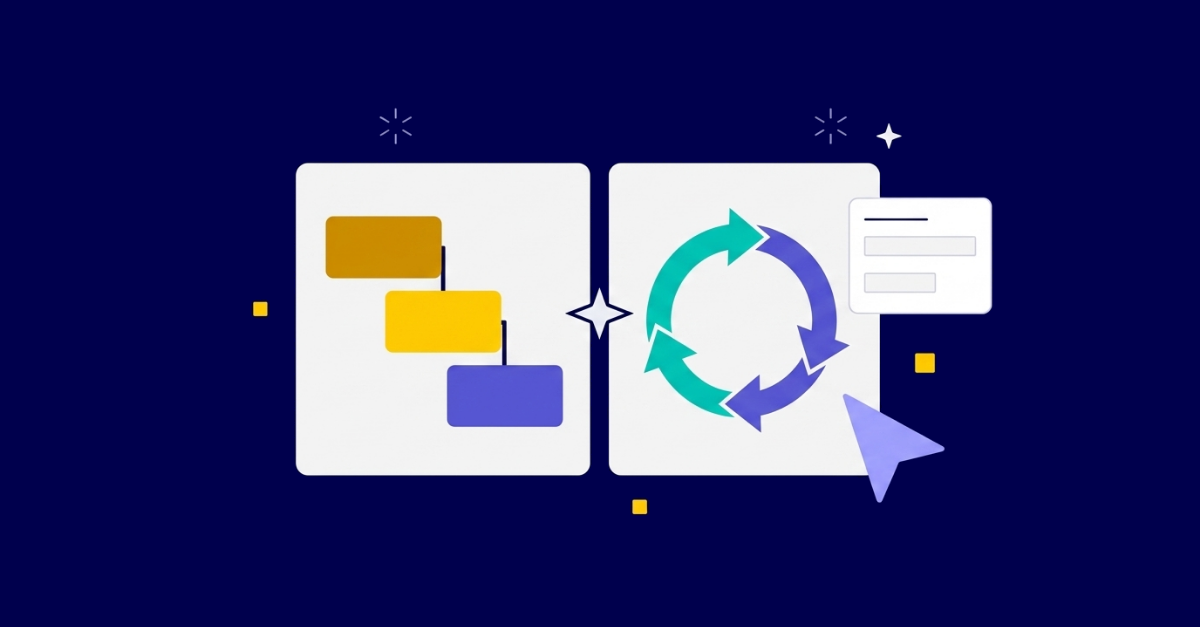
The short answer to the agile vs waterfall question: if your project has a fixed scope and well-defined requirements, Waterfall gives you the structure and predictability you need. If requirements will change as you learn, Agile keeps you moving in the right direction. Most real-world teams land somewhere between the two. The good news is that a well-configured monday.com implementation can support either approach, or both at once, without forcing you into a rigid methodology box from day one.
Project management methodologies shape how a team plans work, handles change, and delivers results. Waterfall and Agile represent two fundamentally different philosophies about how to do that.
Waterfall is a sequential, phase-based approach. You complete one phase (requirements, design, build, test, deploy) before starting the next. Think of it like a relay race: the baton passes once, in one direction. Every requirement is defined at the start, and changes mid-project are expensive because they require reworking earlier phases.
Agile is an iterative approach. Work is broken into short cycles (usually called sprints), and the team delivers usable output at the end of each cycle. Requirements can evolve between sprints based on feedback. Think of it less like a relay race and more like a series of short laps where the team recalibrates after each one.
The methodology debate often oversimplifies this into “new vs old” or “flexible vs rigid.” In practice, both have a place, and the real question is which one fits the nature of your work. For a broader map of where these two sit among other frameworks, see our overview of project management methodologies.
Waterfall earns its reputation in environments where the scope is known, the deliverables are concrete, and late changes would be genuinely costly. Common scenarios include:
The advantage is predictability. Stakeholders know what will be delivered, when, and at what cost. The risk is that any gap between the initial requirements and reality only surfaces late in the project, often at the point when changes are most painful and expensive to absorb.
Agile shines when discovery is part of the work: when the best solution is not fully known at the start, when user feedback should shape what gets built, or when the business context shifts faster than a long plan can accommodate.
Teams that benefit most from Agile include:
Scrum is the most widely used Agile framework in practice: two-week sprints, a prioritized backlog, daily standups, and a retrospective after each sprint. Kanban is a lighter alternative that uses a continuous flow board rather than time-boxed sprints, making it easier for support or operations teams who handle unpredictable incoming work.
Neither framework requires expensive tooling to get started. The harder discipline is committing to the ceremony: daily standups that stay short, retrospectives that surface real issues, and backlogs that stay groomed between sprints.
Here is a side-by-side comparison of where each methodology pulls in different directions:
| Factor | Waterfall | Agile |
|---|---|---|
| Scope | Fixed upfront | Evolves through sprints |
| Planning | Comprehensive before work starts | Rolling, sprint by sprint |
| Delivery | Single release at project end | Incremental releases each sprint |
| Change handling | Formal change request process | Built into the sprint cycle |
| Stakeholder involvement | Heavy at start and at sign-off | Continuous throughout |
| Documentation | Extensive and sequential | Lightweight, just enough |
| Risk profile | Risk surfaces late | Risk surfaces continuously |
| Best for | Known, stable requirements | Unknown or evolving requirements |
Neither column is universally better. A Waterfall risk profile is a feature, not a bug, when you are working on a compliance deliverable with a fixed sign-off date. An Agile change-handling process is a feature, not a bug, when you are building a product where market feedback should redirect effort mid-build.
The mistake most teams make is treating methodology as identity rather than as a tool suited to the work at hand. Good stakeholder management includes being honest about which approach actually fits the project, not which one the team prefers in the abstract.
Yes, and most mature teams do. A hybrid approach often looks like this:
A construction company might manage the overall project on a Gantt view while each specialist subcontractor runs their own short iteration cycles. A marketing team might run a fixed-scope campaign calendar (Waterfall) while the content team works in two-week sprint cycles within it.
Managing this kind of layered structure across multiple concurrent projects adds its own coordination challenges. Our guide on how to manage multiple projects covers those patterns in more depth.
The key is not the label you put on the approach but whether the planning rhythm, the handoffs, and the reporting structure actually match how work happens in practice. A hybrid that fits your team will always outperform a theoretically correct methodology that your team works around.
This is where tool configuration matters more than tool selection. monday.com is not an Agile tool, and it is not a Waterfall tool. It is a work platform, and the configuration is what makes it one or the other (or both) for your team.
For Waterfall-style projects:
For Agile and Scrum teams:
For a practical walkthrough of configuring sprint cycles in monday.com, see our guide to sprint planning in monday.com.
A real-world example of managing high project volume: Standmark runs over 250 concurrent projects in monday.com, using a combination of structured templates and automated routing to maintain consistency at scale. That kind of setup requires deliberate thinking about which methodology principles apply at which level, not just picking one framework and hoping it scales without configuration work underneath it.
Start with three questions:
1. How well-defined are the requirements today? If you can list every deliverable now and be confident they will not change materially, Waterfall planning gives you a reliable, communicable plan. If requirements will evolve as you learn, Agile sprints let you steer without breaking the whole plan each time something changes.
2. What do your stakeholders expect to see? Some clients want a Gantt chart, a sign-off process, and a final delivery. Others want a sprint board, a demo at the end of each cycle, and regular feedback checkpoints. Match the reporting format to your audience, not to a methodology ideal.
3. What does your team actually do today? Honest adoption of a simpler method beats theoretical compliance with a complex one. If your team is already running informal two-week cycles, formalizing those into sprints is less change management than imposing a 12-month Waterfall plan. Start from what is real, then optimize.
The agile vs waterfall discussion is also a tool configuration discussion. Getting the setup right in monday.com so that it reflects your actual workflow, rather than a generic template that someone activated on day one, is where most teams either succeed or quietly revert to email and spreadsheets.
Whether you are running Waterfall programs, Agile sprints, or a hybrid that fits neither label cleanly, the configuration choices in monday.com determine whether the platform supports your team or fights them. Generic templates rarely survive first contact with real work, and the methodology question is only answered well once you understand how work actually flows in your specific context.
Tryve’s consultants have configured monday.com for teams running every variant of the above, and the starting point is always understanding the work before building anything. Book a free intro call with Tryve to talk through which setup fits your team.
Tryve is a monday.com Platinum Partner. Every engagement starts with a structured discovery session built around your actual processes, not a generic template. Senior consultants stay involved through adoption, not just go-live. Book a free intro call.
Tryve is a monday.com platinum partner and helps companies with implementing state-of-the-art project management tools!