Every lesson needs six fields: what happened, impact, root cause, verdict, owner, and what changes.
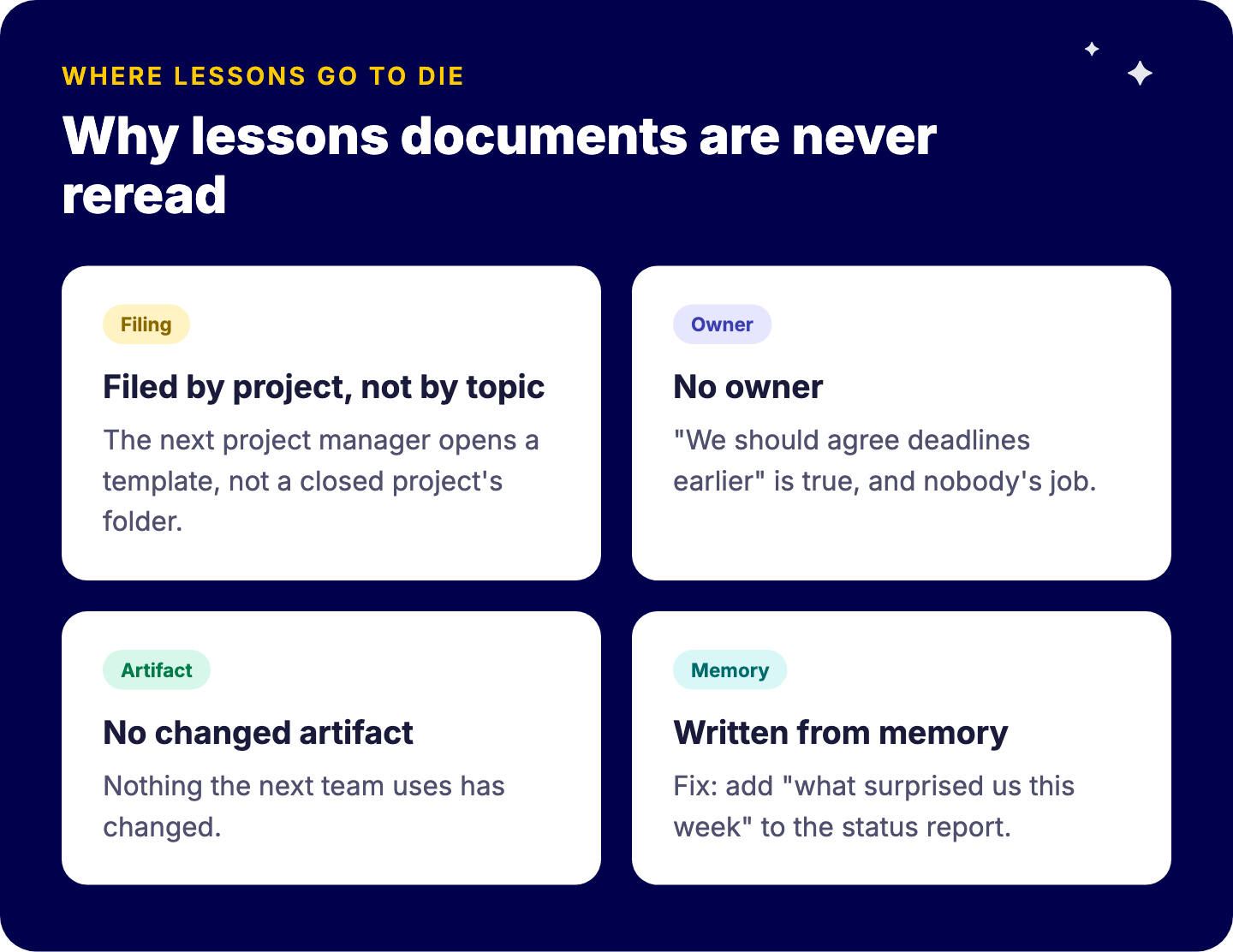
Most lessons documents are never reread because they are filed by project, not by topic.
A lesson without an owner and a changed template is an anecdote.
For a single project, a Word document is fine; a register pays off across many similar projects.
A useful lessons learned template has six fields per lesson: what happened, the impact, the root cause, a verdict (keep, change or stop), an owner, and the template or checklist that changes because of it. Most templates stop after the first three, which is why most lessons documents are never reread. A lesson only counts once it has an owner who changes the template the next project starts from. Below is the template, the session that fills it, and the step that makes it stick.
What should a lessons learned template contain?
Keep the header short: project name, dates, sponsor, the people in the session and a link to the final status report. Then one row per lesson:
Field
What goes in it
Example
What happened
One factual sentence, no names
Client approvals took three weeks instead of one
Impact
Time, cost, quality or relationship
Launch slipped two weeks
Root cause
The process gap, not the person
No approval deadline was agreed at kickoff
Verdict
Keep, change or stop
Change
Owner
One named person
Delivery lead
What changes
The template, checklist or process that updates
Kickoff checklist gets an “approval deadlines” item
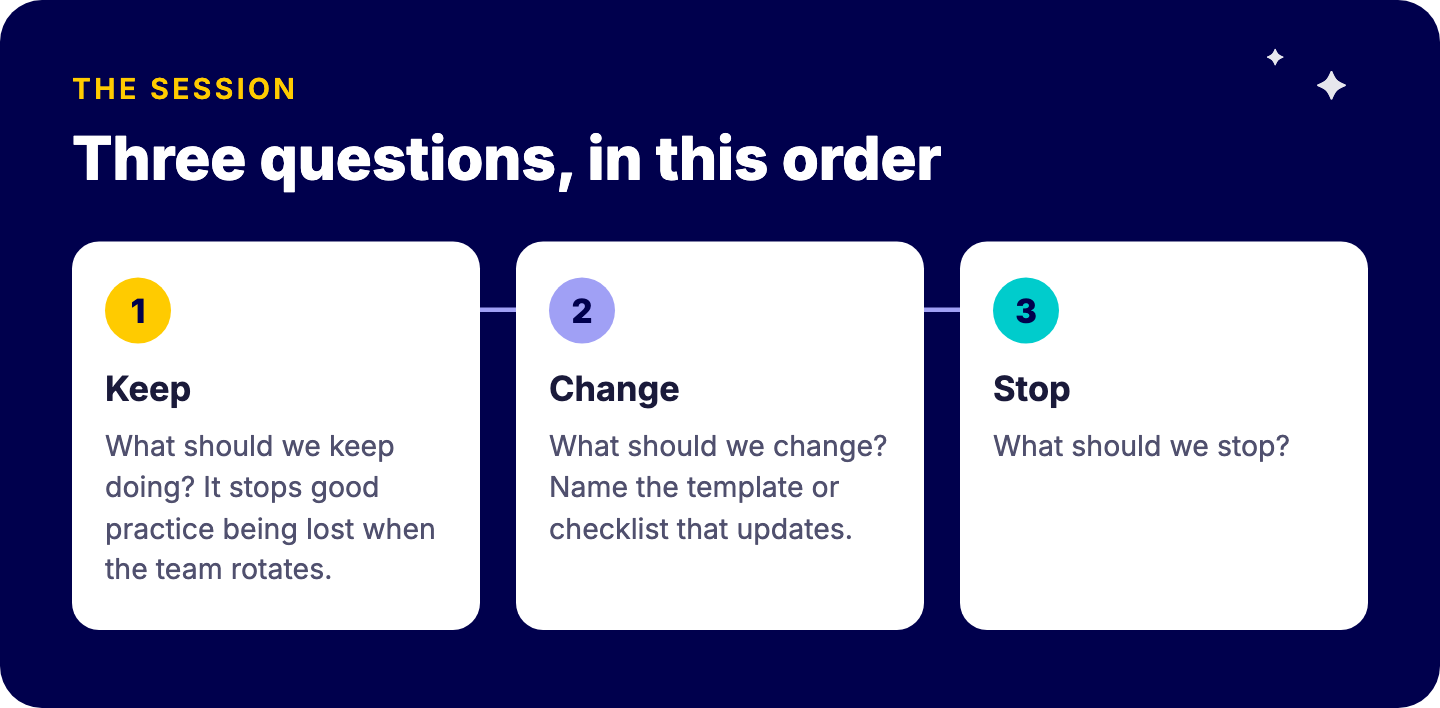
Run the session with three questions, in this order: what should we keep doing, what should we change, what should we stop. “Keep” matters as much as “change”. It stops good practice from being lost when the team rotates.
Invite the people who did the work plus the sponsor, and treat the other stakeholders as readers of the output, not participants. Six to eight people is enough.
Why are most lessons learned documents never reread?
Because of where they are filed and who they are written for.
Filed by project, not by topic. The next project manager does not open a closed project’s folder. They open a template.
No owner. “We should agree deadlines earlier” is true, and nobody’s job.
No changed artifact. The lesson is recorded but nothing the next team uses has changed.
Written from memory. Two hours of trying to remember what went wrong six months ago produces vague lessons and some blame.
The fix for the last one is cheap: capture as you go. If you already write a weekly project status report, add one line to it: “what surprised us this week”. At close, you sort those lines instead of starting from a blank page.
How do you turn a lesson into a changed template?
Use one rule: a lesson without an owner and a changed template is an anecdote. Every “change” verdict must name the specific thing that changes, and someone must change it by a date.
This is where the lessons connect to your project templates. If new projects start from a template, the template is where lessons land. A missing kickoff item becomes a new task in the template. A risk that surprised you becomes a default row in the risk list. The next project manager inherits the lesson without ever reading it.
On monday.com, that looks like this:
A lessons register board. One item per lesson, with the six fields as columns, plus a category (scope, approvals, resourcing, client communication) and a status (open, actioned, rejected).
Connected to the templates. A Connect Boards column links each lesson to the template it changed, so you can see why a template looks the way it does.
Reviewed monthly. A filter on “open” lessons is the whole agenda.
This only works if projects really start from shared templates. Vlerick Business School is a good example of that foundation: projects are organised into portfolios, and each project type has its own template, so teams set up new projects from a predefined but tailored framework. That consistency is what gives a lesson somewhere to go.
When is a lessons learned register worth it over a Word document?
Honestly, for a single project, a Word document is fine. Use the table above, hold the session, assign owners, and you are ahead of most teams.
A register pays off when you are running many projects in parallel or back to back, and they share templates. Then patterns appear: the same approval delay in four projects is not bad luck, it is a template gap. You can only see that when lessons live in one place, by category.
The catch is ownership. Templates drift: someone copies an old board, a lesson gets added to one template and not the other, and within a year nobody knows which version is current. Keeping templates and the register governed is a standing job, not a project task. That is the kind of work that sits well with managed services, where one consultant owns the structure of your monday.com environment over time.
FAQ
What should be included in a lessons learned template?
Per lesson: what happened, the impact, the root cause, a verdict (keep, change or stop), an owner, and the template or checklist that changes as a result. Add a header with the project name, dates, sponsor and participants.
When should you hold a lessons learned session?
Within two weeks of closing, while people still remember, and ideally with a running log kept during the project so the session is sorting, not remembering. Long projects benefit from a short session at each major milestone.
What is the difference between lessons learned and a project retrospective?
A retrospective is usually a recurring team session during the work, common in Scrum. Lessons learned usually happens at the end of a project or phase and is meant to change how the next project is set up. The template works for both.
How do you make sure lessons learned are actually used?
Give each lesson an owner and a deadline, and require every ‘change’ lesson to name the template, checklist or process it updates. Then review open lessons monthly until they are closed.
Make the next project start smarter
Start with the template above on your current project. If you run many similar projects and want your lessons to land in the templates your teams actually use, we can look at your setup together. Book a free intro call with Tryve.
Talk to Tryve
Tryve is a monday.com Platinum Partner. Every engagement starts with a structured discovery session built around your actual processes, not a generic template. Senior consultants stay involved through adoption, not just go-live. Book a free intro call.
A project status report template needs five fields, not fifteen. Here is the weekly template, why most reports get ignored, and how to build it from monday.com.
An editorial calendar template that tracks idea, brief, draft, review, approval, publish and repurpose, plus how to run it in monday.com without chasing reviewe