What should a project status report template contain, and how do you make it fill itself?
Updated on
What should a project status report template contain, and how do you make it fill itself?
Updated on
Table of Contents
Key takeaways
A useful status report has five fields: status with a reason, what changed, decisions needed, top risks, and next milestones.
Reports that list activity get skimmed, because activity looks the same every week. Report change instead.
RAG needs a reason: no red, amber or green without one sentence explaining it.
On monday.com, a status column, a reason column, an update on the item and a dashboard are enough to make the report assemble itself.
A dashboard shows state, not meaning. The one-sentence judgment is still the project manager’s job.
A project status report template needs five fields: overall status with a one-sentence reason, what changed since the last report, decisions you need, the top risks, and the next milestones. Leave out the list of completed tasks and hours logged. Those report activity, and activity looks the same every week, which is why most status reports get skimmed. The better setup is a report that assembles itself from the project board, so the project manager only writes the judgment. That is what a good monday.com implementation should give a delivery team: Friday afternoon back.
What should a project status report template contain?
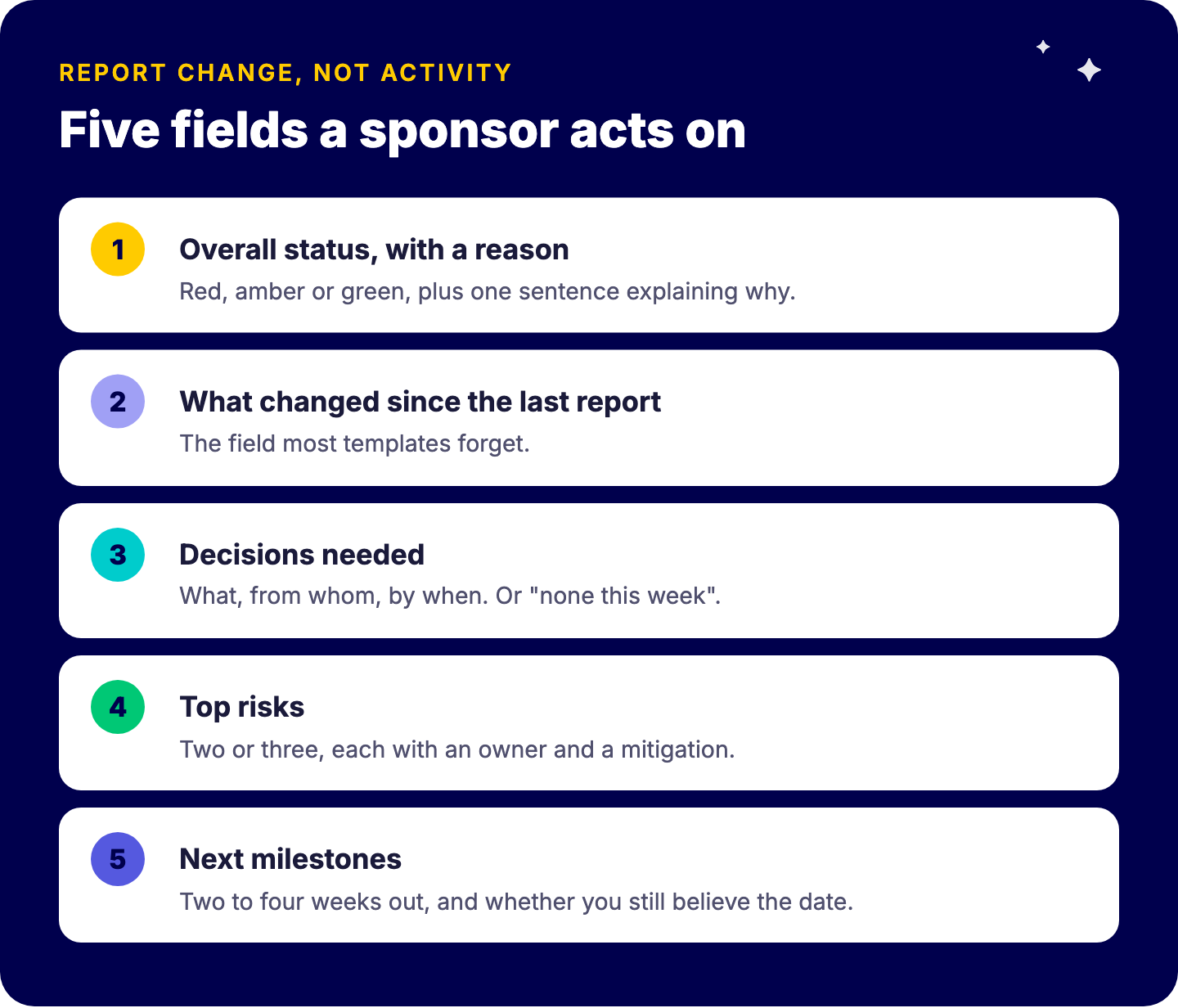
Five fields. Each one earns its place because a sponsor would act differently depending on what it says.
Overall status, with a reason. Red, amber or green, plus one sentence explaining why. The color is for scanning; the sentence is for deciding.
What changed since the last report. Dates that moved, scope that was added or dropped, a milestone reached or missed. This is the field most templates forget.
Decisions needed. What you need, from whom, and by when. If nothing is blocked, say “none this week”.
Top risks. Two or three, each with an owner and a mitigation. A risk log with twenty entries belongs in the project, not in the report.
Next milestones. The next two to four weeks, with a date and whether you still believe it.
The weekly status report template
Copy this and use it as-is. Keep the headings; they force the right content.
“`
PROJECT: [name] PM: [name] WEEK OF: [date]
STATUS: [Green / Amber / Red]
WHY: [one sentence. What drives the color this week.]
WHAT CHANGED SINCE LAST WEEK
[date moved, scope change, milestone hit or missed]
DECISIONS NEEDED
[decision] | from: [person] | by: [date]
TOP RISKS
[risk] | owner: [name] | mitigation: [action]
NEXT MILESTONES
[milestone] | [date] | [on track / at risk]
“`
What to leave out
Task lists. “Held workshop, updated plan, sent minutes” tells the reader you were busy. It does not tell them whether the project is on track.
Percent complete without a baseline. “62% done” means nothing unless the reader knows what 62% was supposed to be by now.
Hours logged. Useful for the PM and for finance. Rarely useful for a sponsor who wants to know about the go-live date.
If you are running several projects at once, the same five fields on every project is what makes them comparable. Different templates per PM make a portfolio unreadable.
Why do most weekly status reports get skimmed and ignored?
Because they report activity instead of change. This is the pattern we see most often when clients show us their existing reports. The PM writes what the team did. The sponsor wants to know what is different from last week and whether they need to act.
Activity reports are also easy to write on autopilot, which is why they survive. Change reports force the PM to compare this week to last week, and that comparison is the actual value. Good stakeholder management starts with telling people what moved, not what happened.
Why RAG needs a reason
A traffic light without a reason is a mood. Two PMs looking at the same project will pick different colors, and a sponsor learns to ignore both. The fix has two parts:
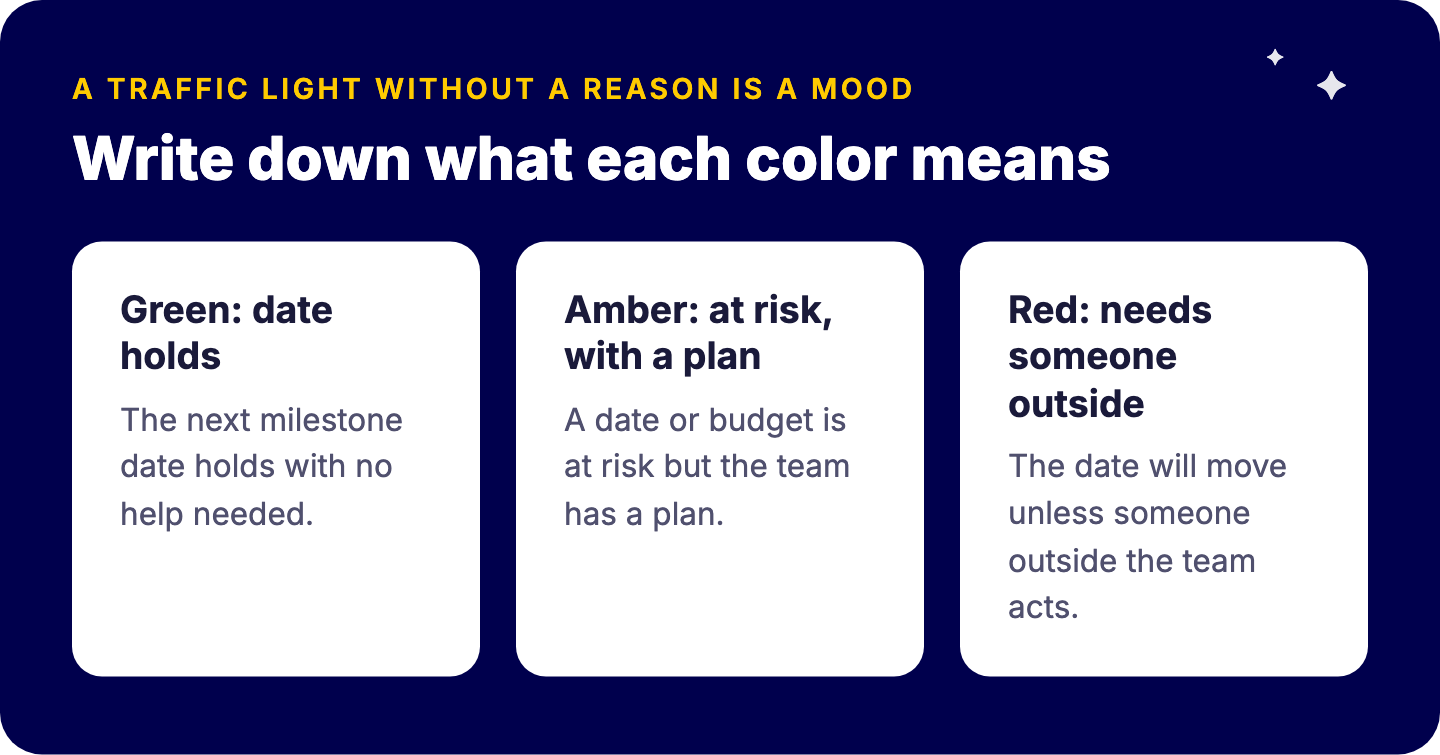
Write down what each color means. For example: green means the next milestone date holds with no help needed; amber means a date or budget is at risk but the team has a plan; red means the date will move unless someone outside the team acts.
Never accept a color without a sentence. “Amber: supplier confirmed delivery two weeks late, we are re-sequencing installation to absorb it.” That sentence is worth more than the rest of the report.
The stale green problem
The most dangerous status on any project board is a green that nobody has looked at for a month. The color stays green because nobody changed it, not because the project is fine. A “last reviewed” date next to the status makes this visible: if the date is older than your reporting cycle, treat the status as unknown.
How do you make a status report fill itself in monday.com?
Put each of the five fields into the project board as a column, then let a dashboard do the assembling. The PM updates the board during the week, which they should be doing anyway, and the report exists before Friday.
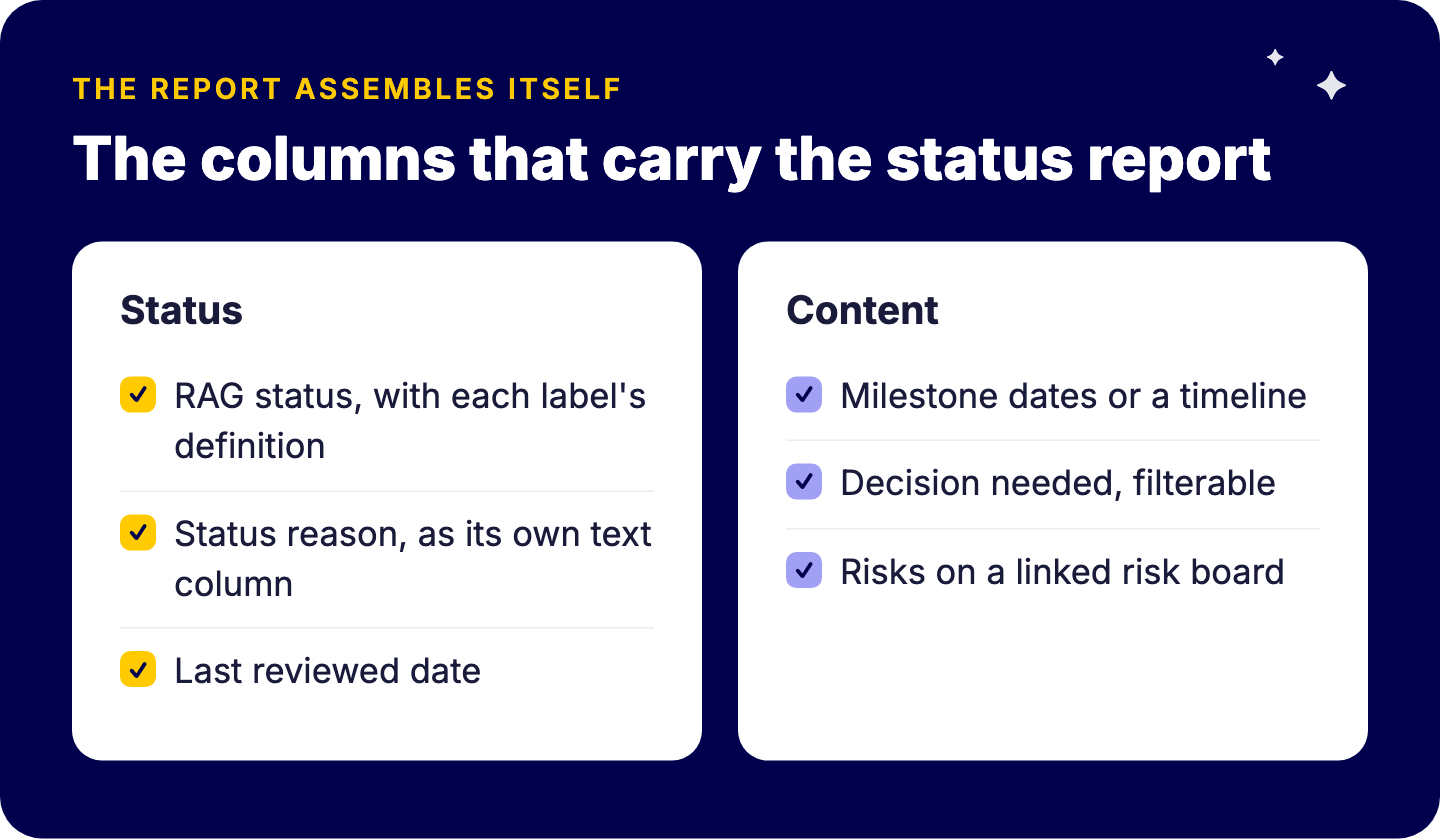
The columns that carry the report
On the project board, or on the project item in a portfolio board:
Status column with your three RAG labels. monday.com lets you add a description to each status label, so put your written definition of green, amber and red right where the PM picks the color.
Status reason as a text column next to it. Keep it separate from the updates feed so the reason shows on the board and on the dashboard, not buried in a comment thread.
Last reviewed date column, updated whenever the PM confirms the status. On plans that include the formula column, a formula can flag anything older than seven days.
Milestone dates or a timeline column for the next milestones.
Decision needed as a text or status column, so blocked decisions can be filtered and counted.
Risks on a separate risk board linked with a connect boards column, so each project shows its open risks without a second copy of the data.
On Pro and Enterprise plans, data validation rules can go further and require a field to be filled before a status can change, for example requiring a reason before a project turns red. Check the current rules on your plan before you design around them.
The weekly rhythm
Configuration only works if there is a rhythm around it. A simple one:
A scheduled automation reminds each PM on Thursday to review their status, reason and dates.
The PM posts a short update on the project item describing what changed. That update is the “what changed since last week” field, timestamped and kept with the project.
The report goes out Friday morning without anyone opening PowerPoint.
Reminders like this are among the automations worth building first, because they cost almost nothing to run and protect the data everything else depends on.
The dashboard that assembles it
A project dashboard pulls the columns above into one view: a table of projects with status and reason, a chart of statuses, the milestone timeline and the open decisions. For the craft of this, see our guide on building dashboards people actually use.
Two practical limits to plan for:
Connected boards per dashboard depend on your plan. At the time of writing, monday.com’s documentation lists 5 on Standard, 20 on Pro and 50 on Enterprise. If each project is its own board, that number matters.
Dashboards can only be shared with people who have a monday.com account. For sponsors or clients without one, export the dashboard to PDF, or set up a scheduled PDF export that emails it weekly. The number of scheduled exports also varies by plan.
Standmark, which handles around 250 exhibition stand and interior projects a year, uses this pattern in practice. From a centralized project portfolio, the team sees during weekly meetings which tasks are done and which need attention, with color coding that makes it simple: gray for not applicable, orange or red for items that need follow-up, green for completed. That keeps everyone clear on each project’s status.
What can a dashboard not do for your status report?
Be honest with your team about this, because it is where automated reporting disappoints.
It cannot write the sentence. A dashboard can show that three milestones are late. It cannot say that two of them are harmless and one threatens the go-live. That judgment is why the reason column exists, and it stays the PM’s job.
It shows today, not last week. A dashboard renders current state. “What changed” comes from the PM’s weekly update, or from a snapshot taken on a fixed day if you need a formal comparison.
It does not decide what matters. A dashboard with thirty widgets is a data dump. Five fields, the same on every project, beats a wall of charts.
The weekly project report also is not the report leadership needs. A monthly portfolio summary for executives asks different questions, and we cover that in our guide to reporting project status to your board. The weekly reports feed it; they do not replace it.
Frequently asked questions
What should be in a weekly project status report?
Five things: overall status with a one-sentence reason, what changed since the last report, decisions you need and from whom, the top two or three risks with an owner, and the next milestones with dates. Everything else is optional.
How long should a project status report be?
Short enough to read in two minutes. If a sponsor has to scroll past a list of completed tasks to find the one decision you need, the report is too long.
What does RAG mean in a status report?
Red, amber, green: a traffic-light rating of whether the project is on track. It only works when each color has a written definition and every rating comes with a one-sentence reason.
Can monday.com generate a status report automatically?
It can assemble most of it. Status, dates, risks and milestones come from the board and show on a dashboard, which can be exported to PDF or sent on a schedule. The project manager still writes the reason for the color and the decision needed.
What is the difference between a project status report and a board report?
A weekly status report tells a sponsor and the team what changed on one project. A board report summarizes the whole portfolio for leadership, usually monthly, and asks for different decisions.
Want your Friday status report to build itself?
Send us one of your current status reports and tell us which board the project lives on. In a short call we will show you which of the five fields your board can already produce, which columns are missing, and what the dashboard would look like. If your reports are fine and the problem is somewhere else, we will say so.
Tryve is a monday.com Platinum Partner. Every engagement starts with a structured discovery session built around your actual processes, not a generic template. Senior consultants stay involved through adoption, not just go-live. Book a free intro call.
A project status report template needs five fields, not fifteen. Here is the weekly template, why most reports get ignored, and how to build it from monday.com.
An editorial calendar template that tracks idea, brief, draft, review, approval, publish and repurpose, plus how to run it in monday.com without chasing reviewe